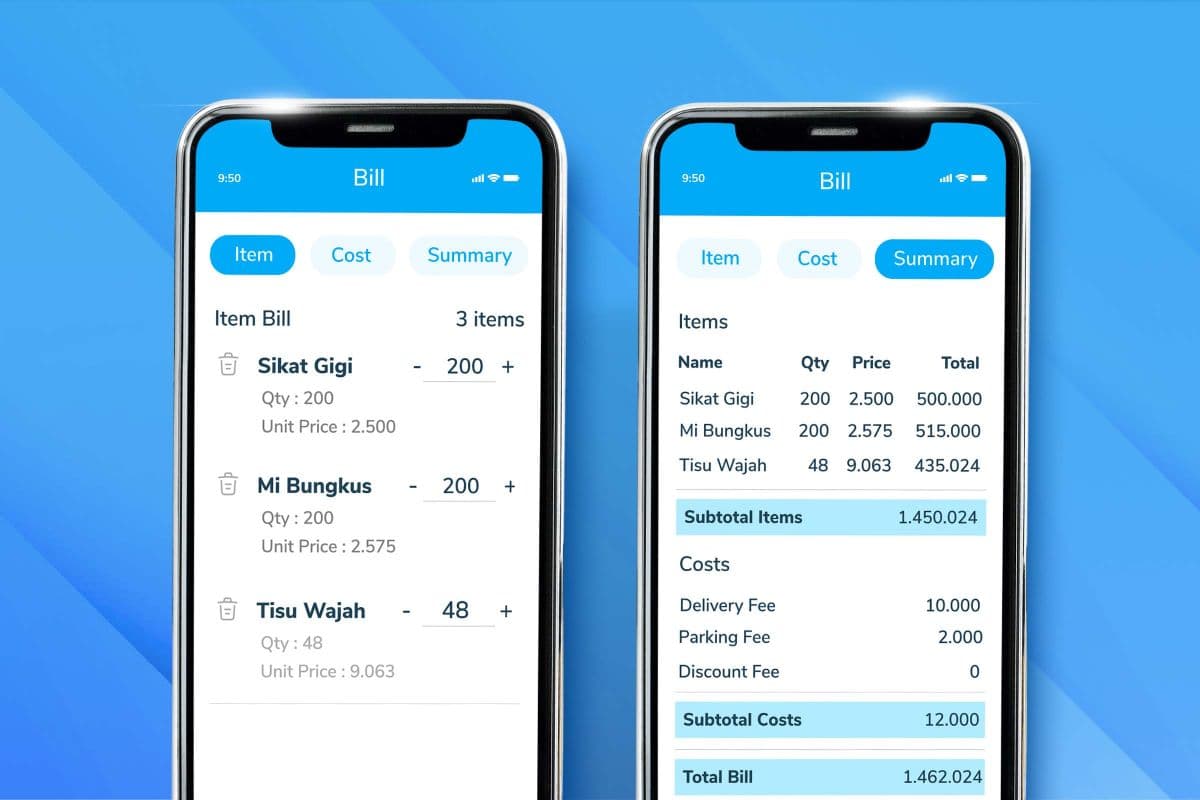
What Is Sales Force Automation (SFA)? Features and Benefits

Sales force automation (SFA) is software that automates repetitive tasks in the sales process, from logging outlet visits and managing orders to generating performance reports automatically.
For distributors, FMCG companies, and any business with a large field sales team, SFA is more than an administrative tool. It is the backbone of sales operations and determines how fast, and how measurably, your team can work.
Data from Cirrus Insight (2025) shows that 76% of companies that adopt sales automation achieve a positive ROI within the first year of implementation.
According to BeatRoute, SFA has been shown to increase deal closures by up to 30% and shorten the sales cycle by up to 18%.
These numbers are not theory. They are results achieved by sales teams that were previously buried in manual work.

What Is Sales Force Automation?
SFA is a system that automates the daily operational activities of a sales team.
According to IBM, sales automation works by removing repetitive tasks so salespeople can spend their time on activities that create real value: building relationships, negotiating deals, and closing sales.
Technically, SFA connects to a cloud-based company database, so order, stock, and visit data can be accessed in real time by every stakeholder.
No more manual reports to compile at the end of the day, and no more visit data of questionable accuracy.
Practical examples of SFA in FMCG distribution:
- Field sales reps record orders directly in the app while at the customer’s outlet, and each order flows straight into the warehouse system. This is the core of a digital order taking process.
- Supervisors monitor the location and activity of every salesperson through live GPS tracking.
- Daily sales reports are generated automatically, with no manual input from the team.
- Product stock can be checked in real time, so reps never promise products that are out of stock.
SFA has a clear goal: streamline the sales cycle from prospect to closing while giving managers full visibility into what is happening in the field.
Read also: Best Sales Tracking Apps for Field Sales Teams
Core Components of an SFA System
A comprehensive SFA system usually includes the following modules:
1. Lead and pipeline management
SFA tracks the status of every sales opportunity from the first stage to closing. Managers can see how full the team’s pipeline is and identify which prospects need follow-up right away.
2. Order management
Sales reps can enter orders directly from a mobile device while at the customer’s location. Orders go straight into the operational system, cutting processing time significantly.
3. Visit and route tracking
SFA records every sales visit to an outlet or customer, complete with GPS coordinates and visit time. This ensures field accountability and helps managers plan more efficient visit routes, especially when paired with route optimization software.
4. Contact and customer data management
All customer information, including purchase history, product preferences, contacts, and interaction notes, is stored in one central system that can be accessed at any time.
5. Automated reporting and analytics
The system automatically generates team performance reports, target achievement, sales trends by product, and outlet analysis. Managers do not have to wait for manual recaps to make decisions.
6. GPS tracking and field monitoring
Supervisors can monitor the location and activity of every salesperson in real time. This reduces uncertainty and helps confirm whether visits actually happened as planned.
7. Field stock management
Sales reps can check stock availability in real time before or during a visit, so they never make delivery promises that cannot be fulfilled (stockouts).
Benefits of Sales Force Automation for Your Business
1. Measurably higher team productivity
The average sales rep spends only 30% of their time actively selling. The rest goes to data entry, reporting, and scheduling (Everstage, 2025).
SFA reverses this. With administrative tasks automated, salespeople can shift their focus to activities that directly contribute to revenue.
Automation also reduces manual input errors by up to 75%, according to Kixie (2025), which means the data entering the system is cleaner and more reliable for decision-making.
2. Full visibility into field activity
One of the biggest challenges for sales managers is knowing what is really happening in the field. Are visits made on schedule? Do priority outlets get enough attention?
SFA answers these questions with data, not assumptions. A real-time dashboard gives a complete picture of team locations, visit counts, order volume, and target achievement, all on one screen. Learn how this works in our guide to the sales tracking system.
3. A shorter sales cycle
With automation at every stage, from lead qualification and proposal delivery to order processing, the time needed to close a deal drops noticeably.
BeatRoute reported a reduction in sales cycle length of up to 18% after SFA was implemented at FMCG companies.
A shorter sales cycle means the same team can serve more customers in the same period, increasing sales capacity without adding headcount.
4. Better data accuracy and planning
Sales data that flows in automatically and consistently lets managers build more accurate forecasts. Demand trends by product, region, or customer segment can be spotted faster. This supports budget planning, resource allocation, and more realistic targets.
5. Higher customer satisfaction
SFA lets sales reps see each customer’s full history before a visit.
They know which products are usually ordered, when the last visit took place, and whether any complaints are still open. This more personal approach has a direct impact on customer satisfaction and loyalty.
In addition, automated follow-ups make sure no prospect or customer slips through the cracks because someone forgot. The system sends the reminder, not the salesperson’s memory.
6. Integration with other operational systems
Modern SFA can connect with ERP, inventory management, billing systems, and delivery management platforms. This integration keeps data flowing smoothly between systems, eliminates double data entry, and gives a more complete view of operations.
7. Scalability without losing control
As a business grows, with more salespeople, more territories, and more products, manual systems are no longer enough. SFA lets you expand without losing visibility or operational standards. Teams in different regions work in the same system, with centralized data that is easy to audit.
Read also: Order Taker: Meaning, Duties, and Responsibilities in Sales
SFA vs CRM: What Is the Difference?
SFA and CRM are often used interchangeably, but they have different focuses. Understanding the difference helps companies choose the right solution for their operational needs.
| Aspect | SFA | CRM |
| Main focus | Sales team efficiency and productivity | Customer relationship and data management |
| Main users | Field salespeople, supervisors | Sales, marketing, and customer service teams |
| Core activities | Order management, visits, pipeline | Customer history, analytics, after-sales service |
| Time horizon | Short term (daily sales execution) | Long term (loyalty and customer value) |
In short, SFA helps teams close deals faster, while CRM helps companies retain customers over the long term. Many modern platforms combine both, but for volume-driven field sales teams, especially in distribution and FMCG, SFA is the first priority.
Consider both sides carefully to decide which one better fits your business needs.
Who Needs SFA the Most?
SFA has the biggest impact on companies with the following characteristics:
- Field sales teams spread across many territories that are hard to monitor manually
- Distribution or FMCG companies with hundreds to thousands of outlets that must be visited regularly
- High-volume businesses where order processing speed is critical
- Organizations expanding their distribution network that need standardized processes
- Companies that want more field accountability without adding layers of manual supervision
Industries that commonly adopt SFA include FMCG, pharmaceuticals, consumer goods distribution, property, banking, and services built on regular visits, from motorcycle sales reps covering dense city routes to canvassing sales teams opening new outlets.
How to Implement SFA Effectively
A successful SFA rollout is not only about choosing the right software. Here are the steps to follow:
1. Assess your business needs
Identify the weak points in your current sales process. Where is the most time wasted? Where do errors happen most often? This data becomes the basis for configuring the system.
2. Define the KPIs you want to reach
Before implementation, set clear metrics, such as visits per day, order processing time, conversion rate, or report accuracy. These KPIs become your benchmark for success.
3. Choose a platform that fits your scale and workflow
Not every SFA fits every industry. A good platform should be configurable to your company’s specific workflow without expensive custom development.
4. Run a pilot project
Start with one team or one territory before a full rollout. This gives you a chance to identify adoption barriers and fine-tune the system configuration.
5. Train your team continuously
User resistance is the most common implementation barrier. Adequate training, not just once at the start, ensures consistent adoption across the team.
6. Monitor and evaluate regularly
After go-live, track the KPIs you set on a regular basis. Identify areas that still need adjustment and optimize step by step.
Tasks You Can Automate with SFA
These are the operational activities most commonly automated with SFA:
- Logging outlet visits with GPS verification
- Creating and submitting orders from the field
- Checking product stock in real time
- Scheduling and reminding prospect follow-ups
- Generating daily and weekly performance reports
- Calculating and applying discounts based on promotion rules
- Monitoring target achievement for each salesperson
- Automatic alerts for customers who have not been visited for a while
How MileApp Supports Sales Force Automation
MileApp provides a field operations platform that covers sales team needs from planning to execution. The MileApp sales force automation features are built specifically for teams that work in the field, not just teams that work behind a screen.
Key capabilities for sales teams:
- Taking order directly from the mobile app during outlet visits
- Canvassing and merchandising with digital forms that can be configured without code, useful for teams following a clear merchandiser job description
- Real-time GPS tracking to monitor the location and activity of salespeople
- Route optimization to plan the most efficient visit routes and cut travel time
- Real-time dashboard to monitor target achievement and overall team performance
- AI-based retail audit, including on-shelf availability detection (OOS Detection AI) and planogram compliance
For a look at the SFA and sales tracking apps available on the market, see our roundup of the best sales tracking apps.
Read also: What Is a Transportation Management System (TMS)?
Frequently Asked Questions
Is SFA the same as CRM? No. SFA focuses on automating daily sales activities, while CRM covers customer relationship management more broadly, including marketing and after-sales service. SFA is often a component within a larger CRM system.
How long does it take to implement SFA? Implementation time varies with the scale and complexity of the business. For a pilot project with one team, the initial setup can be completed in 2–4 weeks. A full rollout usually takes 1–3 months.
Is SFA suitable for small businesses? Yes, as long as the business has a sales team active in the field. Even for small teams, SFA removes unnecessary manual work and provides more accurate data for decision-making.
Can SFA apps be used on mobile devices? Most modern SFA tools are designed mobile-first, since their main users are field salespeople who are not always in front of a computer.
How does SFA help sales managers? Managers get access to a dashboard showing each salesperson’s performance, target achievement, visit count, and order volume, all in real time. This enables faster, data-driven decisions instead of relying on intuition alone.
Conclusion
That covers sales force automation, from what it is to the benefits it brings to companies. In short, sales force automation (SFA) is not just an innovation but a key to success in modern business. SFA gives you the tools to manage and improve sales team performance, strengthen integration with other systems, and take operational efficiency to a new level.
With today’s technology, adopting an SFA system is easier than ever. MileApp helps you get the most out of sales force automation with features such as route optimization and a real-time dashboard. Book a free demo with MileApp by filling in the form below.
Recent Posts